

One AI Standard, Running Across Your Whole Floor
Give every agent in your office the same AI-built workflows for enquiries, follow-up, listings and admin — under
the same governance, the same privacy rules, and one invoice. Built once, licensed to your team.
“AI doesn’t create the revenue. Your agents do.” This programme trains agents to use AI as a working assistant
inside the process you already run — not a replacement for the way your office does business.
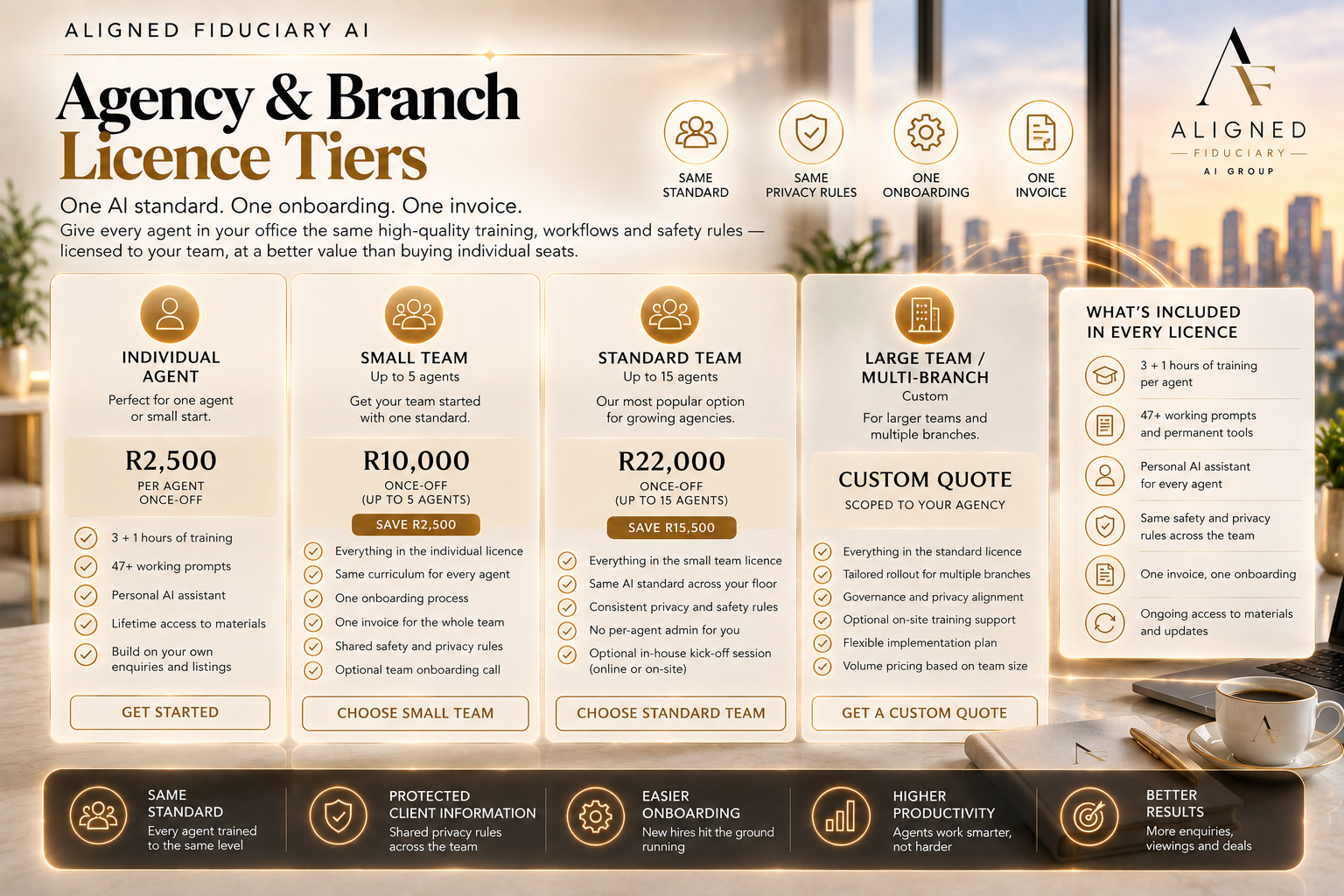
3 + 1 Hours of training per agent — core course plus bonus module
47+ Working prompts, built into permanent tools each agent keeps
1 Standard applied consistently to every agent on your team
1 Invoice, one onboarding, no per-agent admin for you

Why Agencies Buy This as a Licence, Not Agent-by-Agent
When agents pick up AI tools independently, you get inconsistent quality, no shared standard for handling client
information, and zero visibility into what's actually being pasted into a personal AI account. A licensed team
rollout fixes all three at once.
✕ Some agents use AI well, most don't use it at all — no consistent standard across the floor
✕ No visibility into what client information agents might be pasting into personal AI accounts
✕ Every new hire starts from zero, with no standard onboarding for how the office uses AI
✕ Buying individual seats one agent at a time means more admin for you, not less
What Every Agent Builds
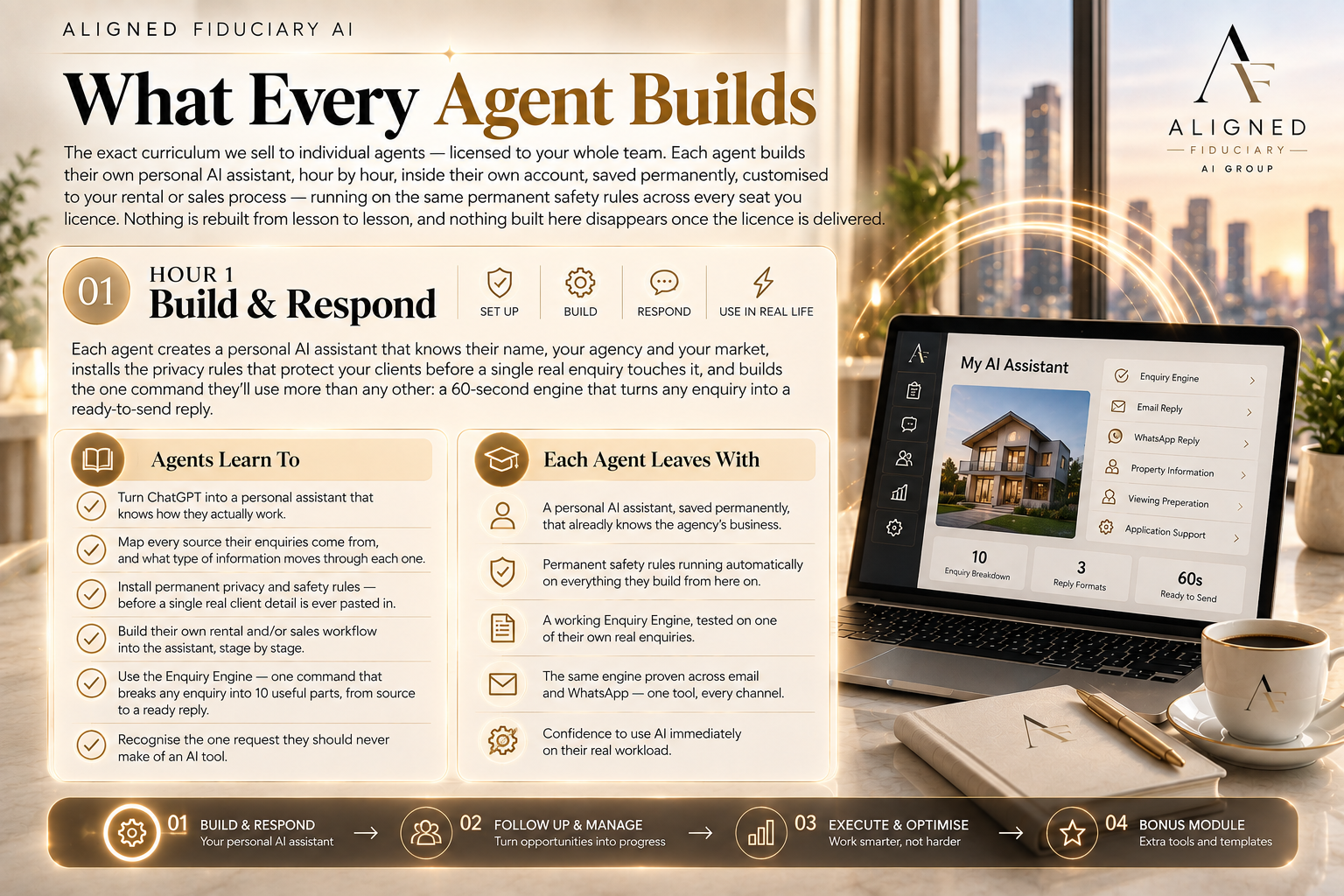
The exact curriculum we sell to individual agents — licensed to your whole team. Each agent builds their own
personal AI assistant, hour by hour, inside their own account, saved permanently, customised to your rental or
sales process — running on the same permanent safety rules across every seat you licence. Nothing is rebuilt
from lesson to lesson, and nothing built here disappears once the licence is delivered.
Hour 1 — Build & Respond
Each agent creates a personal AI assistant that knows their name, your agency and your market, installs the
privacy rules that protect your clients before a single real enquiry touches it, and builds the one command they'll
use more than any other: a 60-second engine that turns any enquiry into a ready-to-send reply.
Agents Learn To
→ Turn ChatGPT into a personal assistant that knows how they actually work
→ Map every source their enquiries come from, and what type of information moves through each one
→ Install permanent privacy and safety rules — before a single real client detail is ever pasted in
→ Build their own rental and/or sales workflow into the assistant, stage by stage
→ Use the Enquiry Engine — one command that breaks any enquiry into 10 useful parts, from source to a ready reply
→ Recognise the one request they should never make of an AI tool
Each Agent Leaves With
✓ A personal AI assistant, saved permanently, that already knows the agency's business
✓ Permanent safety rules running automatically on everything they build from here on
✓ A working Enquiry Engine, tested on one of their own real enquiries
✓ The same engine proven across email and WhatsApp — one tool, every channel
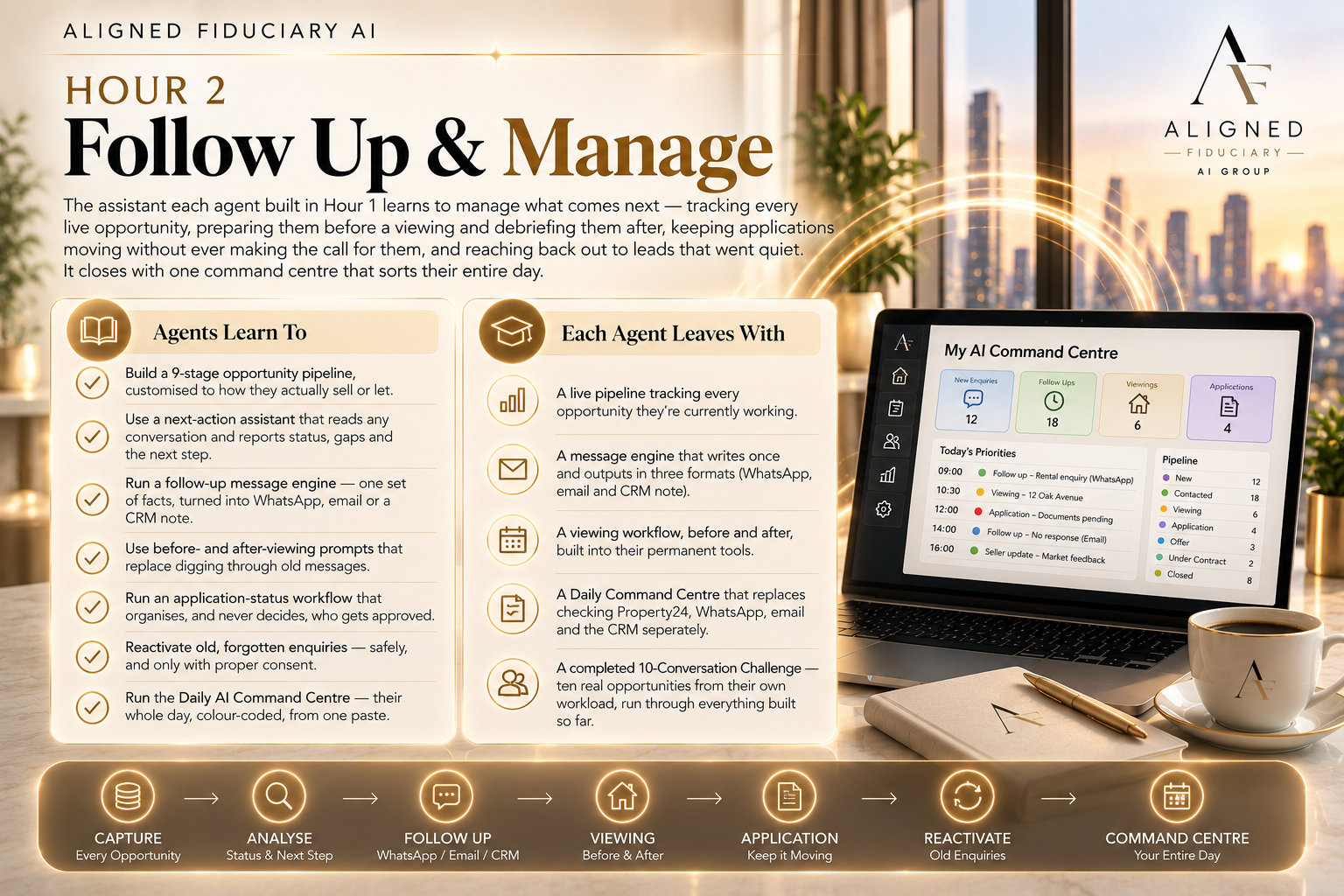
Hour 2 — Follow Up & Manage
The assistant each agent built in Hour 1 learns to manage what comes next — tracking every live opportunity,
preparing them before a viewing and debriefing them after, keeping applications moving without ever making
the call for them, and reaching back out to leads that went quiet. It closes with one command centre that sorts
their entire day.
Agents Learn To
→ Build a 9-stage opportunity pipeline, customised to how they actually sell or let
→ Use a next-action assistant that reads any conversation and reports status, gaps and the next step
→ Run a follow-up message engine — one set of facts, turned into WhatsApp, email or a CRM note
→ Use before- and after-viewing prompts that replace digging through old messages
→ Run an application-status workflow that organises, and never decides, who gets approved
→ Reactivate old, forgotten enquiries — safely, and only with proper consent
→ Run the Daily AI Command Centre — their whole day, colour-coded, from one paste
Each Agent Leaves With
✓ A live pipeline tracking every opportunity they're currently working
✓ A message engine that writes once and outputs in three formats
✓ A viewing workflow, before and after, built into their permanent tools
✓ A Daily Command Centre that replaces checking Property24, WhatsApp, email and the CRM separately
✓ A completed 10-Conversation Challenge — ten real opportunities from their own workload, run through
everything built so far
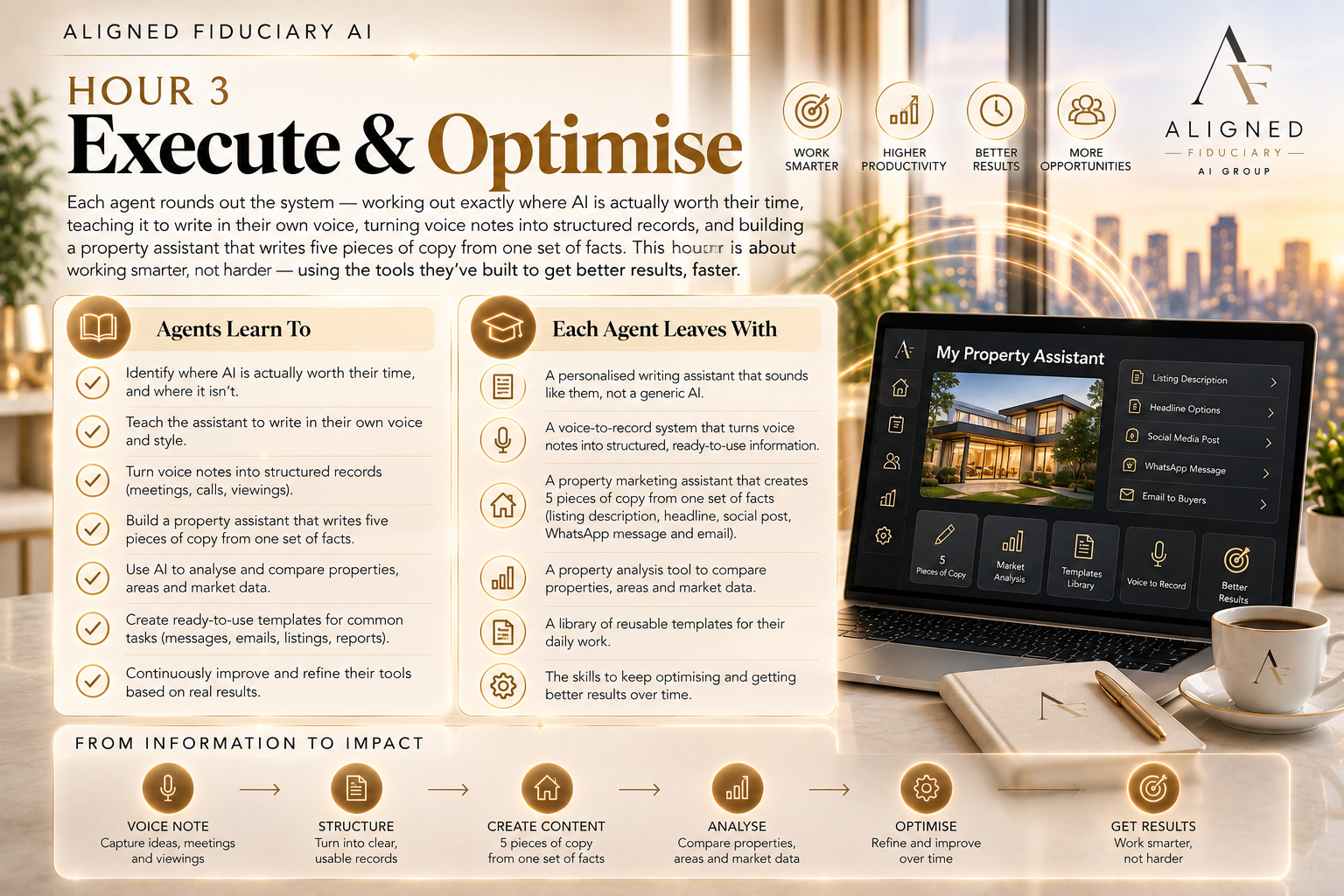
Hour 3 — Execute & Optimise
Each agent rounds out the system — working out exactly where AI is actually worth their time, teaching it to
write in their own voice, turning voice notes into structured records, and building a property assistant that
writes five pieces of copy from one set of facts. Then comes a careful, deliberate lesson on documents and FICA,
and a real 24-hour challenge to run everything they've built
.
Agents Learn To
→ Classify their real daily tasks — what AI can help with, and what stays theirs
→ Build a style guide so every output sounds like them, not generic AI
→ Turn a voice note after a call into a structured, usable record
→ Use a property template and five-output engine — one set of facts, five ready pieces of copy
→ Compare client requirements against property facts, without ever deciding the fit for them
→ Handle documents and FICA — how AI helps with status and checklists, and never touches a document's
contents
→ Run an honest, fact-based landlord and seller update assistant
Each Agent Leaves With
✓ A writing assistant matched to their own voice and tone
✓ A voice-note-to-CRM-note pipeline, ready for their next call
✓ A property assistant producing five formats from one verified fact set
✓ A FICA-safe checklist workflow that never risks a client document
✓ A complete system — enquiry to close — run once through a real 24-hour challenge
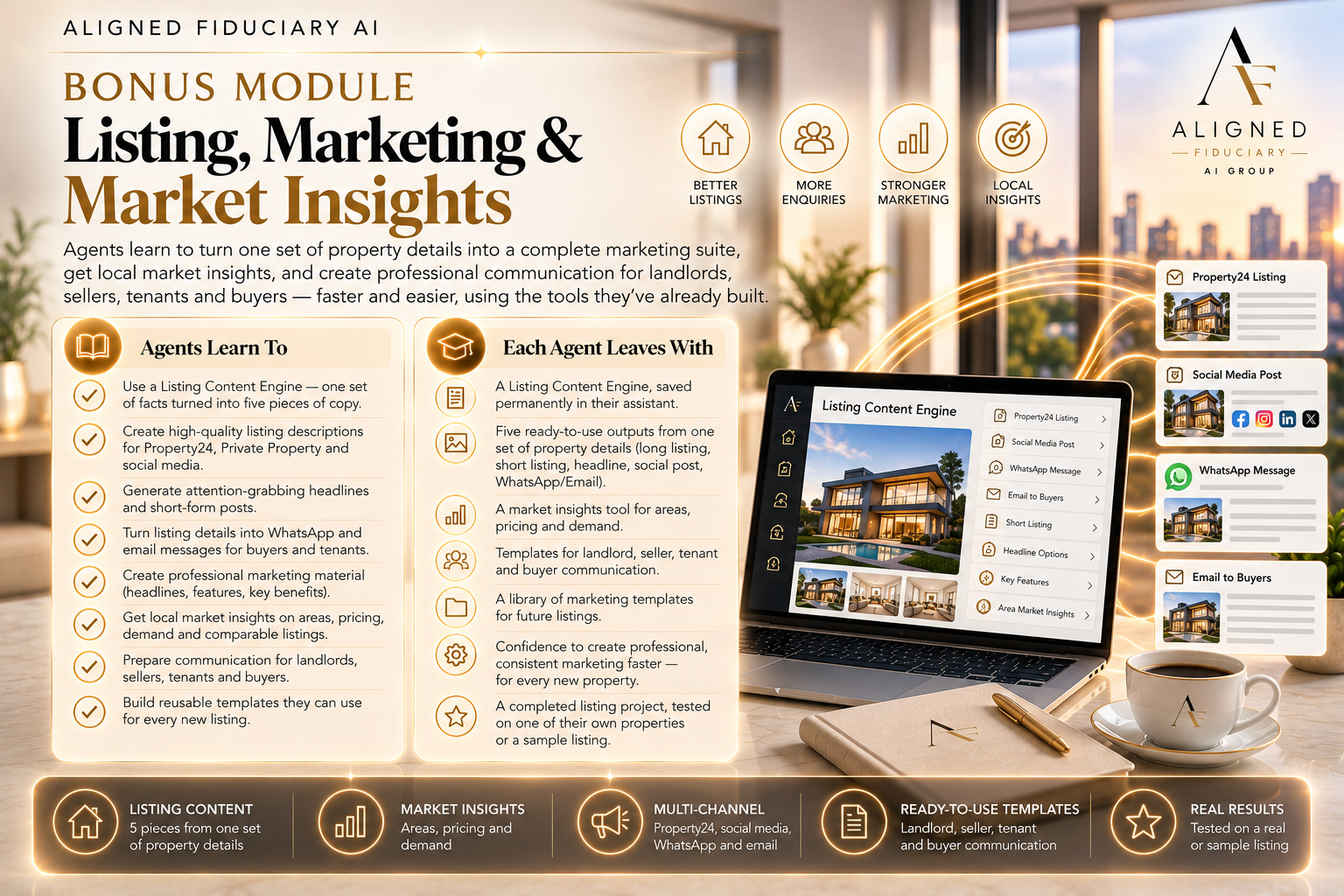
Bonus — Listing, Marketing & Market Insights
One paste makes every tool from Hours 1–3 bilingual in English and Afrikaans, on request, without rebuilding a
single one. Then each agent's assistant takes on marketing — property descriptions in every format needed,
headlines that get the click, social content, photo ordering — and market insights: organising real comparable
sales into a client-ready pricing conversation, never a formal valuation.
Agents Learn To
→ Apply a single retrofit that makes every command they've already built bilingual, on request
→ Run a multi-format description engine — long-form, short-form, WhatsApp and social, from one fact set
→ Write headlines, feature bullets and calls-to-action that describe, and never oversell
→ Rewrite a live listing — flagging vague language instead of inventing detail to fill it
→ Produce social captions, story text and a reasoned photo order for any listing
→ Organise comparable sales into a CMA-style overview, and a price range to consider — never a formal
valuation
→ Turn market insight into a client-ready update, by email and WhatsApp
Each Agent Leaves With
✓ Every tool from the whole course, now bilingual whenever a client needs it
✓ A complete listing content engine — one walk-through of a property, every format it's posted in
✓ A photo-order and headline system that stops the blank-page problem for good
✓ A market-insights workflow that turns comparables the agent already has into a client-ready pricing conversation
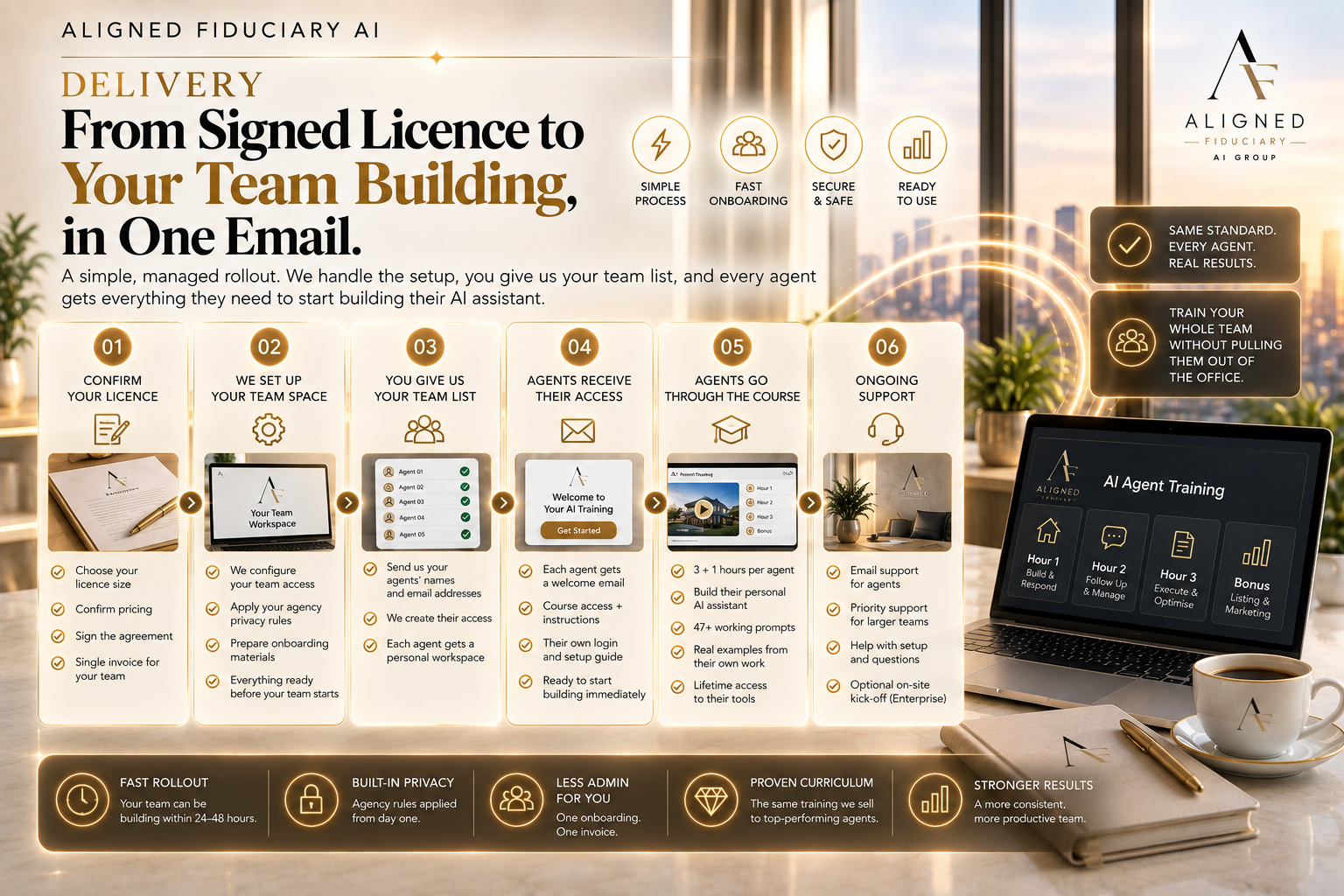
Delivery — From Signed Licence to Your Team Building, in One Email
Because each agent's access is personal rather than a single shared link handed around the office, the handover
works like this:
1. You send us the team
The name and email of every agent covered by your licence — that's the only admin required on your side.
2. Each agent gets their own access page
Not a shared link — a personal access page built for every named agent individually. This is deliberate: it's
what makes the delivery match what you actually bought. Rather than handing your office one link that
anyone could pass around, each agent on the licence receives their own page, addressed to them, with their
own access to the course. It also makes the sale feel concrete rather than abstract — you're not buying "a
course", you're onboarding your 10 named agents, and it's clear at a glance who on your team has been
given access and who hasn't.
3. Agents build in their own account, at their own pace
Self-paced, hour by hour — each agent builds their own assistant, customised to their side of your business,
working on their own real (minimised) enquiries, opportunities and listings as they go.
4. Your whole team runs on one standard
Every agent finishes on the same permanent safety rules and the same workflows, whatever their starting
point with AI was — so the standard doesn't depend on which agent happens to be careful.
The Fiduciary Standard, Applied Firm-Wide
The rules below run identically for every agent on your licence, installed in their very first lesson — so your
firm's standard for handling client information doesn't depend on which agent happens to be careful. Agents
never have to remember to be cautious; the assistant is already checking, every time.
PRIVACY: Client information is treated as confidential across every seat on the licence, not agent by agent.
MINIMISATION: No agent's assistant is ever taught to ask for more personal information than a task requires.
DATA DESTINATION: Every agent is flagged, every time, that a personal AI account processes data outside South
Africa — and prompted to minimise first.
SENSITIVE DOCUMENTS: No agent's assistant will ever suggest pasting ID documents, bank statements or FICA
paperwork into a chat — and stops them if they try.
ACCURACY: No agent's assistant invents a client, property, financial or legal fact — missing information is flagged,
not filled in.
HUMAN DECISIONS: No agent's assistant ever makes a tenant-selection, credit or compliance decision. That stays
with your team.
Shown once, deliberately, in Hour 1: every agent sees a real example of the single most dangerous request they
could make of an AI tool — handing over a client's full documents and asking it to decide. They see exactly why
that's off-limits, and never send it. It's the same lesson for every seat on the license, so it never depends on
which agent happens to already know better.
Questions Agencies Ask Before Signing
Do our agents need any AI or tech experience?
No. If an agent can copy, paste, and answer a few questions about their own patch of the business, they can
build every tool in this course — regardless of where they started.
Will this work for our rental team and our sales team?
Yes. Hour 1 has each agent build whichever workflow — or both — matches their actual role, and every tool
built afterwards follows that same customisation. One licence covers both sides of the business.
Is client information safe across every agent, not just the careful ones?
The very first hour installs permanent privacy and safety rules that run on everything every agent builds
afterwards — including a dedicated, deliberately careful lesson on documents and FICA, where AI never touches
a document's actual contents. This runs identically on every seat, so it doesn't depend on which agent happens
to be cautious.
What does each agent need to get started?
A ChatGPT account per agent, and their own real (minimised) enquiries, opportunities and listings to build with
as they go.
Do agents have to redo the setup every time they use it?
No. Everything each agent builds is saved permanently to their own account. They open it, and it's exactly as
they left it — every seat, every time.
What's included in the licence price?
The full 3-hour core course and the complete bonus module — bilingual retrofit, marketing tools and marketinsights
workflow — for every named agent on the license, for one invoice.